One family.
Two sides. A clear plan.
DoneUp brings chores, approvals and pocket money into one shared routine. Grown-ups set the direction. Kids get a simple view of what to do and what they’re working towards.


Set it up once.
Keep the day clear.
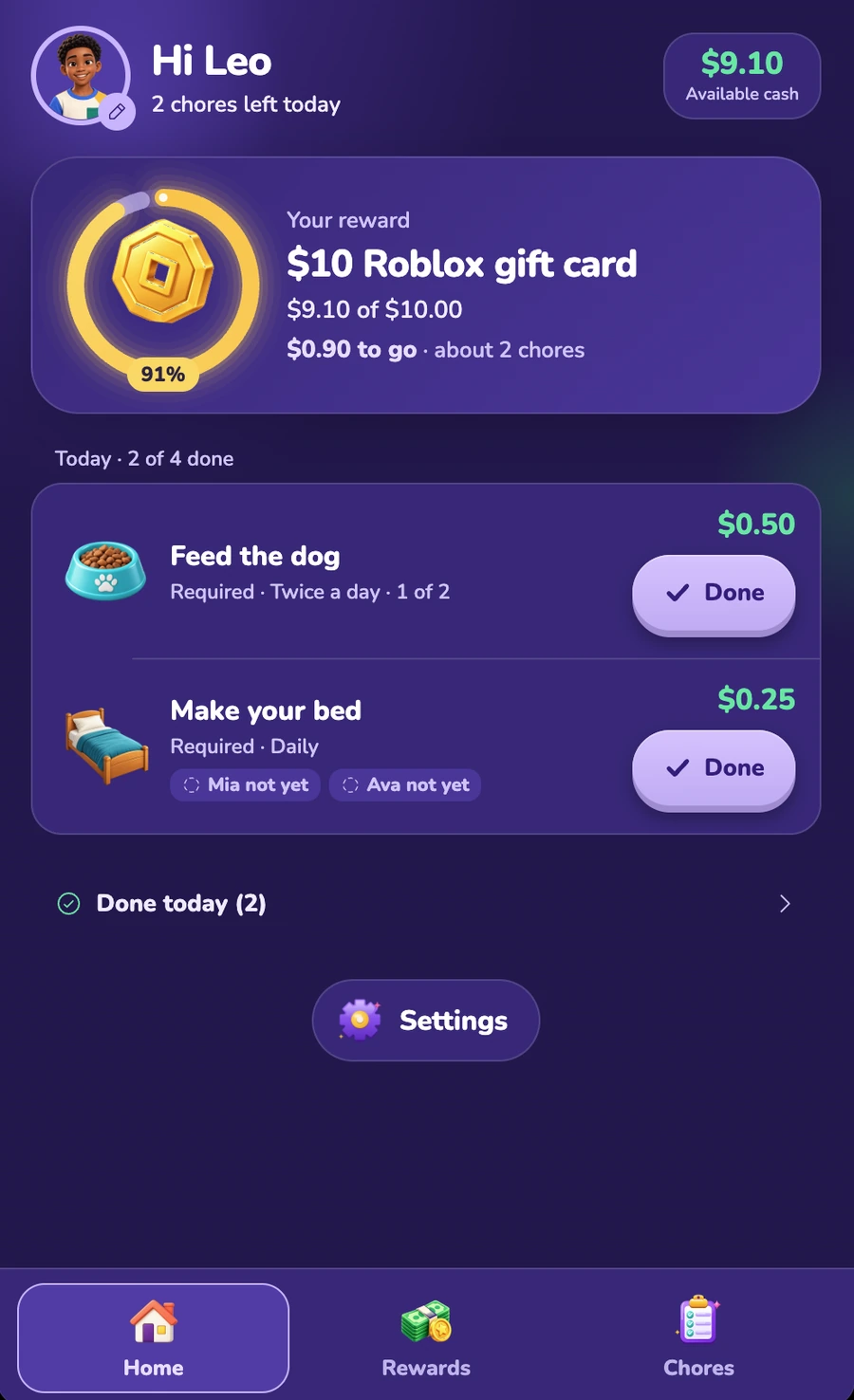
Create one-off or repeating chores, including daily or twice-daily tasks. Add a time of day, notes or step-by-step routines so “done” means the same thing to everyone.
Each day’s chore is separate. Finishing today’s task leaves tomorrow’s where it belongs.


They tap Done.
You take a look.
Approve a finished chore, or send it back with a note about what still needs doing. Notifications let grown-ups know when work is waiting, and kids know what happens next.
An approval adds the chore’s value to the kid’s balance once. Both of you can see the history of earnings, payouts and any penalties.


Pick a goal.
See the progress.
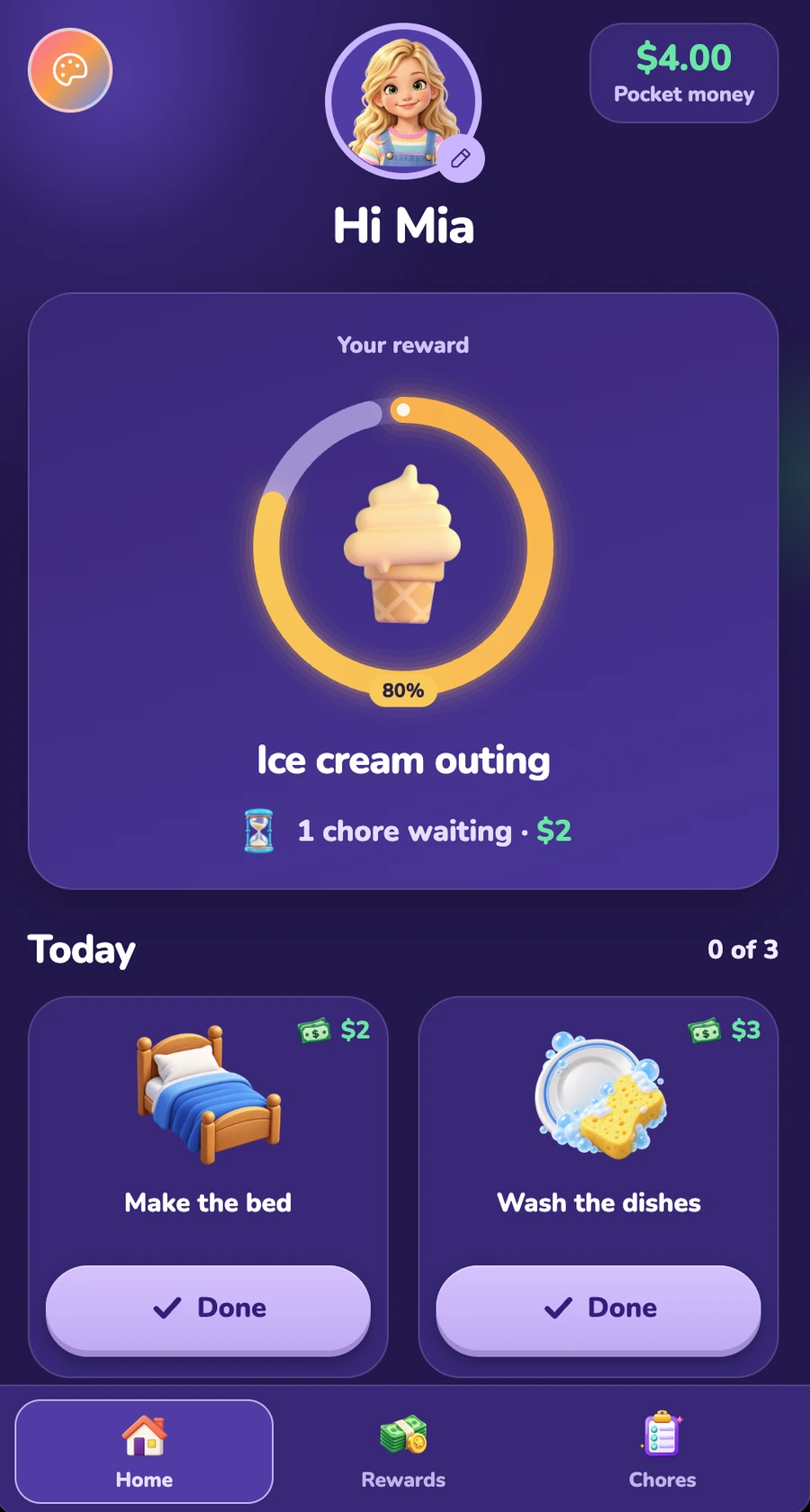
Kids choose one reward to save for. Their progress meter fills as chores are approved. When they have enough, they can ask for their reward.
The amount is held while the request is waiting. A grown-up provides the reward, or chooses “not yet” to release the money back to the available balance.
See how rewards workFlexible where it matters.
Room for another grown-up
Add a co-parent, step-parent, grandparent or sitter as the second grown-up. Choose full rights or approvals only. Each family has one home and up to two grown-ups.
A balance you both understand
Earnings are shown in dollars. Add bonuses or birthday money, see every change in the history, and keep the balance at zero or above.
Their ideas have a place
Kids can suggest a chore or a reward. A grown-up can post it with a price or say no.
A prize you earn together
Set a family target and a shared prize. Every kid’s approved chores contribute. Kids see chore counts, without being ranked against each other.
Penalties, if you want them
Switch them on or leave them off. Choose a preset or your own penalty. It cannot exceed the available balance, and you can undo it with one tap.
A little personal choice
Everyone can choose from six screen colours. Kids pick their own picture, and their layout and wording adapt to their age.
A timer for earned screen time
Kids start the timer when they use earned screen time. It tracks the minutes for the family to see. It never locks or controls their device.
A simple way to join
Grown-ups sign in with Apple or Google. Kids join using a link, a household ID and PIN, or a code scanned by a grown-up. Each kid can use up to three devices.
A focused family space
There is no parent-to-parent messaging, reimbursement between adults or location tracking. Kids do not see which grown-up paid for a reward.
Start with the routine you have.
Add your family.
Sign in with Apple or Google, add your kids and pick your screen colours.
Choose what works.
Set your chores and rewards, and decide whether to use optional penalties.
Let them join.
Send each kid their link. Their chores and goals are ready in their own view.


A little more “I did it.”
A little less reminding.
Chores, pocket money and something to save for.
All in one place for your family.
7-day free trial · One plan for the whole family